NJ PowerShell Users Group Meet: Presenter Jeffrey Hicks – Microsoft MVP
The NJ PowerShell User Group is having a meetup on Tuesday, April 28th from 6:00 - 8:00 PM. The first half hour will be for socializing, pizza, and playing pool at our coffee bar.
Agenda:
6:00 – 6:30: Pizza and socializing
6:30 – 7:30: Presentation
7:30 - 8:00: Q & A
Please note that the Webex meeting will start at 6:00 PM, but the actual presentation won’t start until 6:30. In-Person a ttendees must register, print out their EventBrite ticket, and present it at the door. Walk-ins will not be permitted.
 Eventbrite Registration Page
A Webex meeting link will be emailed to Eventbrite on-line registrants prior to the event.
Eventbrite Registration Page
A Webex meeting link will be emailed to Eventbrite on-line registrants prior to the event.
Presenter: Jeffrey Hicks (in-person)
**Presentation: ** On the Job: Putting PowerShell Scheduled Jobs to Work for You. So you know how to use PowerShell and how it can make your job easier to do. But why should you have to be sitting at your desk to run a PowerShell script or command? Why not combine the simplicity of a PowerShell script with the ease of use of a scheduled task! PowerShell MVP and author Jeff Hicks will guide you through the process of setting up and using PowerShell scheduled jobs, including a few potential gotchas. By the end of the session you should know enough to be able to schedule the boring right out of your job.
**Bio: ** Jeffery Hicks is an IT veteran with over 25 years of experience, much of it spent as an IT infrastructure consultant specializing in Microsoft server technologies with an emphasis in automation and efficiency. He is a multi-year recipient of the Microsoft MVP Award in Windows PowerShell. He works today as an independent author, trainer and consultant. Jeff has written for numerous online sites and print publications, is a contributing editor at Petri.com (http://www.petri.com), and a frequent speaker at technology conferences and user groups. His latest book is PowerShell In Depth: An Administrator’s Guide 2nd Ed.
Twitter: @JeffHicks


Coffee Bar, Pool Table, and XBox

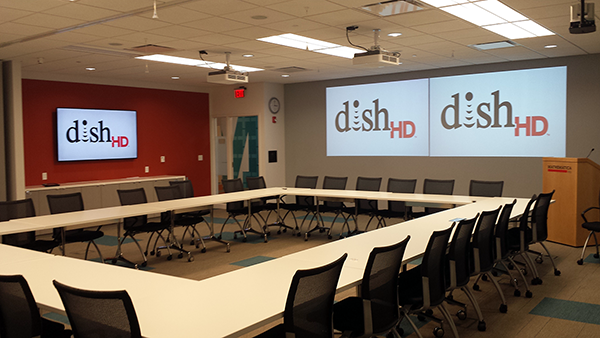
Conference Room
Related Articles
PowerShell Escape Room
PowerShell Escape Room by Michiel Hamers by Michiel Hamers https://about.me/michielhamers/ Why on earth you want to create an Escape Room with PowerShell as backend? I’ve always been a fan of escape rooms, so I decided to create my own for my kids. I wanted to make it something that would be challenging and fun for them, but also educational. I decided to use PowerShell as the backend for the escape room, as I’m a PowerShell developer and I thought it would be a great way to learn more about the language.
Microsoft Graph PowerShell Module: Getting Started Guide
Microsoft Graph PowerShell Module: Getting Started Guide by Jeff Brown Microsoft is retiring the Azure AD Graph API sometime after June 30, 2023 (announcement). This retirement includes the Azure AD PowerShell module. In its place, Microsoft has released the Microsoft Graph PowerShell module. The Microsoft Graph PowerShell module is the next-generation way of managing Microsoft cloud services using PowerShell. If you have used MSOnline or Azure AD PowerShell in the past, you’ll need to read on to learn about this new module.
ICYMI: PowerShell Week of 08-October-2021
Topics include VMWare, Windows 11, Web Reports and more… Special thanks to Robin Dadswell, Prasoon Karunan V, Kiran Patnayakuni and Kevin Laux How to gather your vCenter inventory data with this VMware PowerShell script by Scott Matteson on 7th October Inventory reports are a common request when administering a VMware vCenter environment. Learn how this VMware PowerShell script can make such requests quick and easy Building a Web Report in PowerShell, use the -Force Luke by Chris Noring on 8th October