
Reordering an Unordered Azure Service Bus Stream with PowerShell
Azure Service Bus sessions are the natural choice when a consumer must process related messages in order. But what if the messages already arrive through a non-session subscription, while a downstream consumer still expects an ordered, session-aware stream?
This article explores one possible bridge between those two models. The idea is to use message deferral as a broker-backed buffer and session state as a small index that remembers which deferred messages can be released later.
It is deliberately an exploration of the approach, not a production-ready implementation. The interesting part is the state machine and the failure modes it exposes.
The scenario
Suppose every message carries two pieces of application-level metadata:
SessionIdidentifies one logical stream.orderis a monotonically increasing integer within that stream.
The input subscription does not require sessions. Messages for one logical stream can therefore be observed as:
| |
The downstream subscription does require sessions and should expose:
| |
In the sample, the flow looks like this:
| |
The full sample is implemented in reorderAndForward2.ps1 in the pubs repository.
Keep payloads in the broker
An obvious design would keep early messages in a PowerShell collection until the missing message arrives. That creates a fragile in-memory buffer: a process restart loses it, and payloads consume memory while a gap remains open.
Service Bus already has a better place for those payloads. A deferred message stays in the broker and can later be retrieved by its SequenceNumber.
The reorderer only persists compact metadata in session state:
| |
This gives the script enough information to retrieve deferred messages without copying their bodies into its own state.
The three decisions
For each message, the script loads state for its logical SessionId and calculates:
| |
It then makes one of three decisions:
| Condition | Action |
|---|---|
order -eq expected | Forward the message, complete the input, then drain any contiguous deferred messages. |
order -gt expected | Defer the input and save its order and SequenceNumber. |
order -lt expected | Treat it as stale and dead-letter it. |
The heart of the approach can be reduced to this pseudocode:
| |
The actual script uses typed SessionOrderingState and OrderSeq objects, rather than untyped hashtables, and separates these operations into small PowerShell functions.
Walking through a gap
First, the producer sends 1, 3, and 4. The reorderer forwards 1, but it cannot forward 3 or 4: both depend on the missing 2. Those two messages are deferred and their sequence numbers are saved.
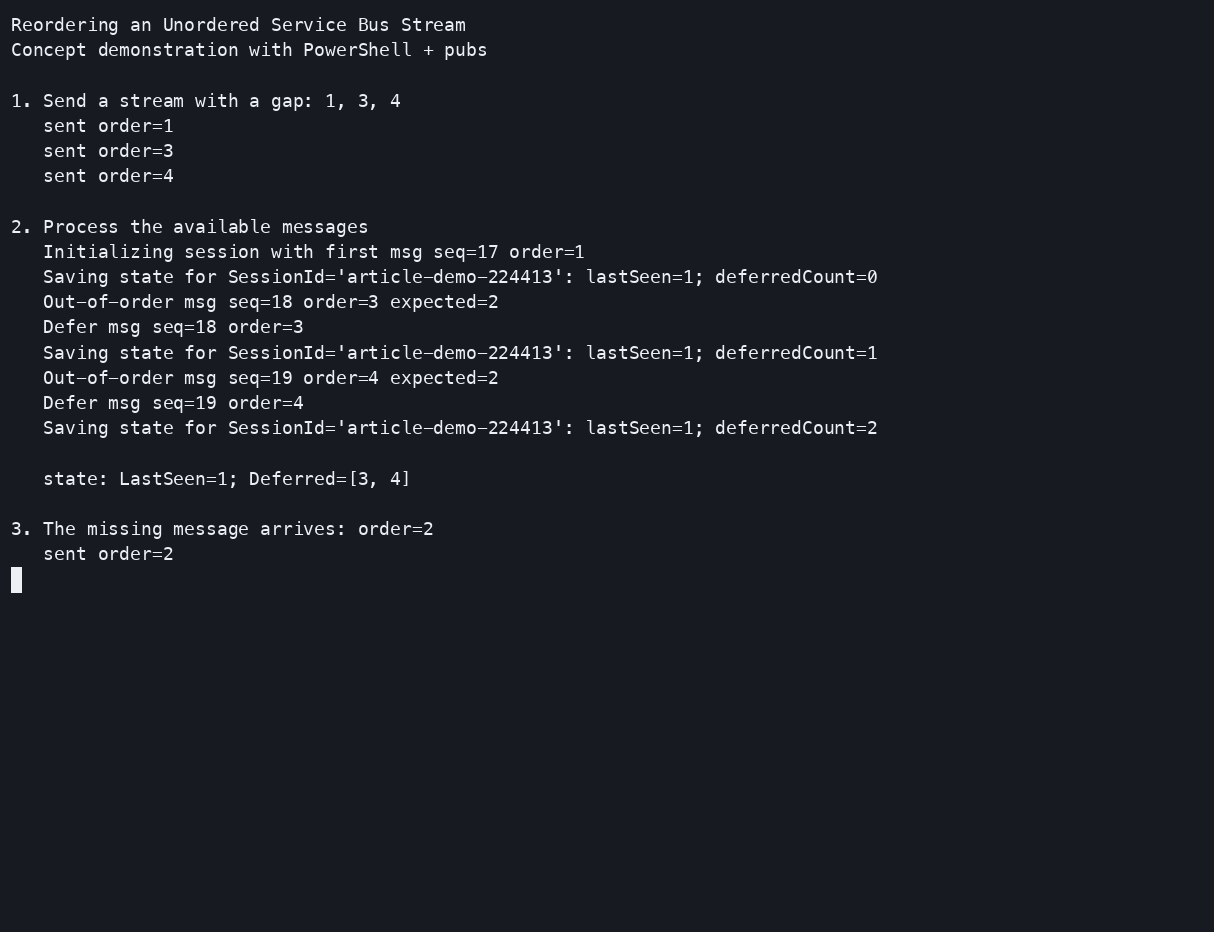
The state is now:
| |
When 2 arrives, the reorderer forwards it and advances LastSeen to 2. It can now retrieve deferred 3 by sequence number. After forwarding 3, the same check makes 4 contiguous, so the script retrieves and forwards that message too.
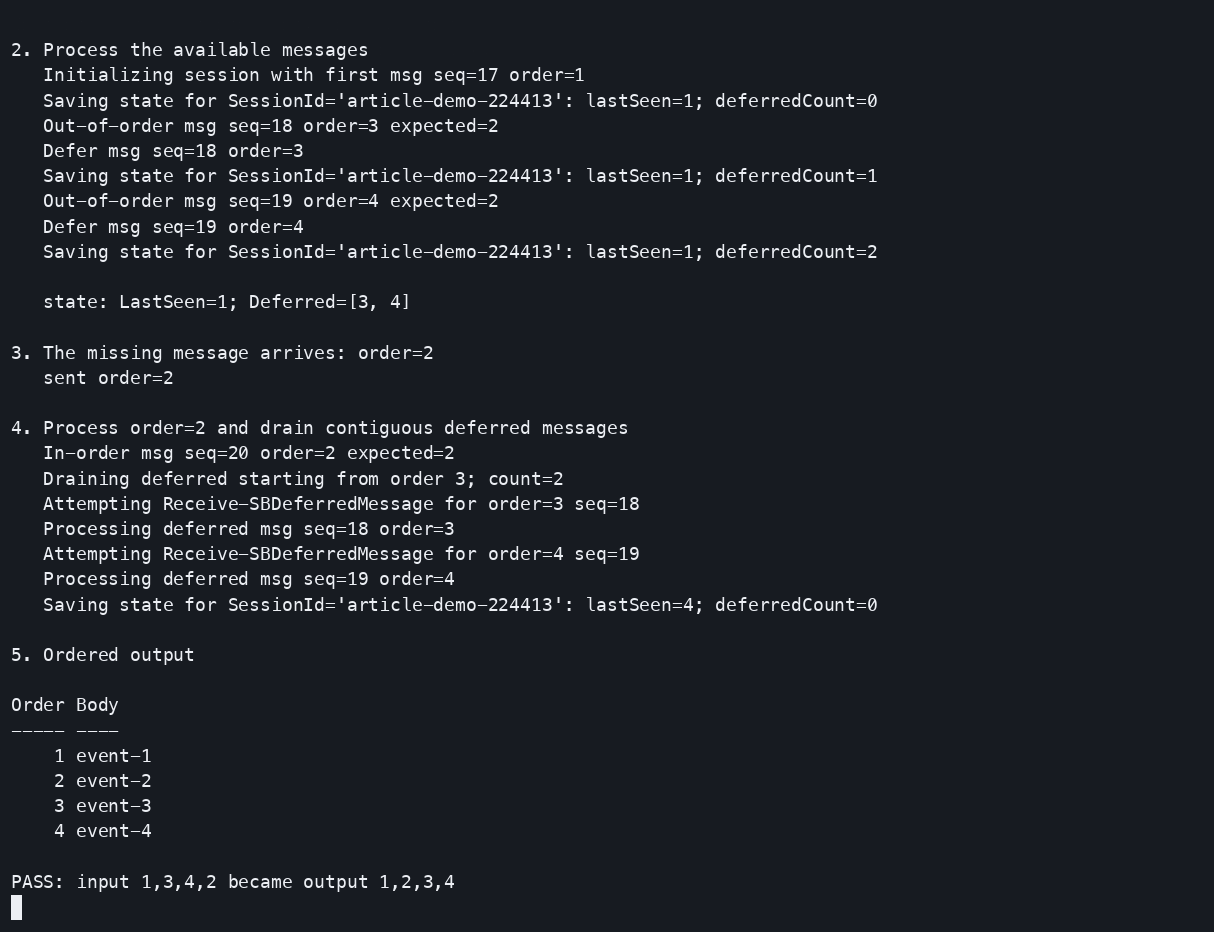
Here is the complete run:
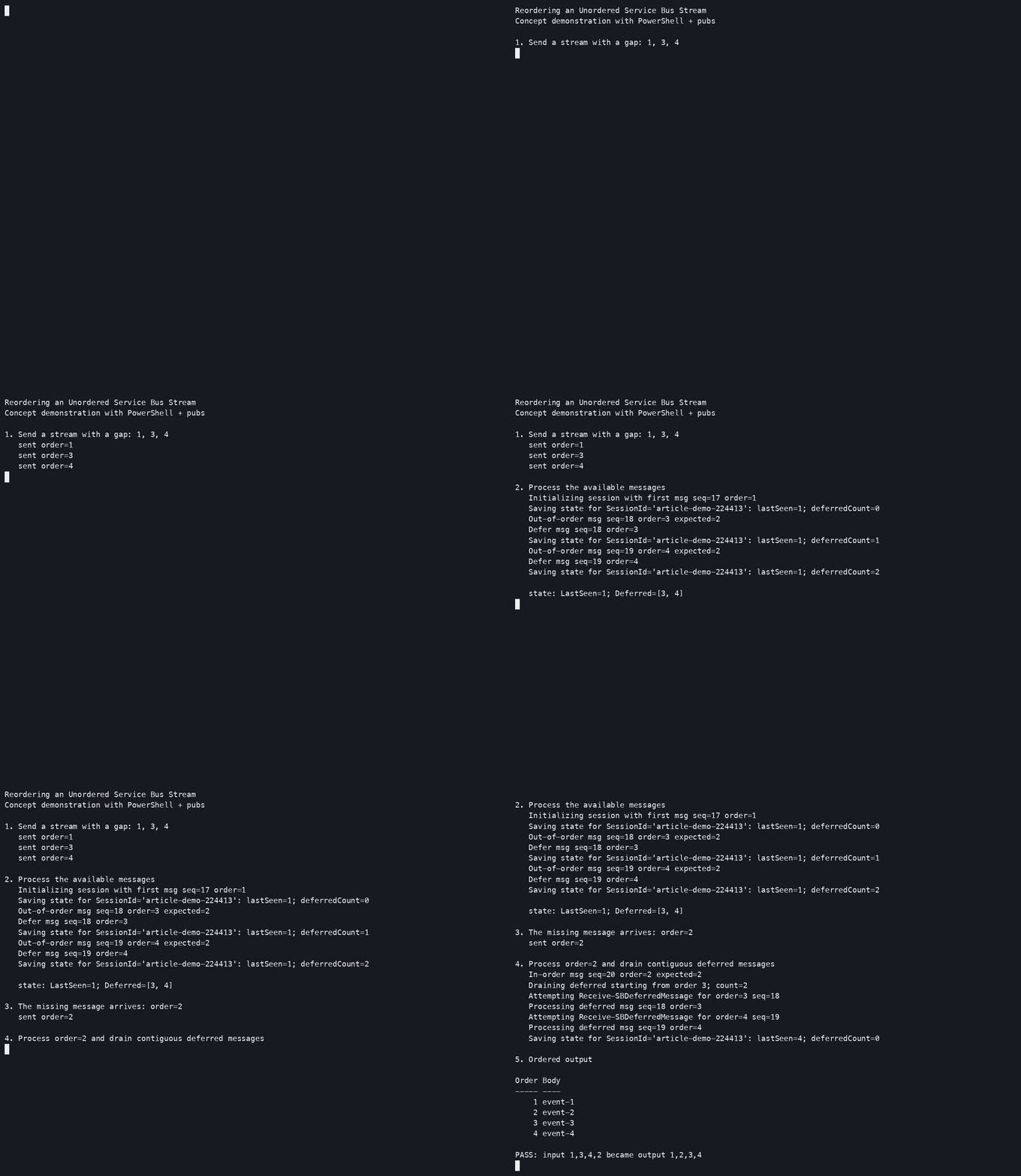
Running the experiment locally
The repository contains a Docker Compose definition for the Azure Service Bus Emulator and SQL Edge. You need Docker Desktop, PowerShell 7, and the .NET 8 or 9 SDK.
Clone the repository, create the .env file described in its README, and start the emulator:
| |
Then open PowerShell and load the module and the reordering functions:
| |
Send the first three messages:
| |
Now send the missing message and process it:
| |
Finally, read the session-aware output:
| |
The expected result is:
| |
Where the approach stops being an implementation
The experiment makes several simplifying assumptions that matter in a real system.
The first message defines the starting point
The state is initialized from the first message the reorderer receives. If 7 is first, the script accepts 7 as the beginning; messages 1 through 6 arriving later are stale. A production design needs an explicit starting-order contract if that behavior is unacceptable.
Forward, complete, and save are not atomic
The sample forwards a message, completes its input copy, and then saves state. A crash between these operations can produce duplicates or state that no longer reflects the broker. Downstream processing must be idempotent, or the bridge needs a stronger transactional and recovery design.
An open gap needs limits
If message 2 never arrives, the list of deferred sequence numbers continues to grow. A real worker needs limits for gap size and age, plus a policy for expiry, dead-lettering, alerting, and recovery.
One logical stream needs one coordinator
Two workers updating the same logical stream can race unless ownership is coordinated. Service Bus sessions normally provide that coordination through a session lock; this example borrows session state for bookkeeping while consuming from a non-session subscription, so concurrency needs deliberate treatment.
Ordering does not remove the need for duplicate handling
Retries, redelivery, and failures around settlement still exist. The order property helps identify stale messages, but a business-level message identifier and idempotent downstream operations are still valuable.
Why the pattern is useful
Even with those limitations, this is a useful experiment because it separates three concerns:
- Service Bus stores deferred payloads.
- Session state stores the minimum ordering index.
- PowerShell expresses the state transition in a compact, inspectable form.
That makes it practical for exploring message-ordering behavior locally, testing failure hypotheses, and deciding which guarantees a production implementation would actually need.
The result is not “ordered messaging added to a non-session subscription.” It is a small bridge that demonstrates how deferral, sequence numbers, and session state can cooperate—and where their guarantees end.
About the Author

Andrey
Developer platforms, PowerShell, Azure, and observable systems
I am a hands-on software architect with more than 20 years of experience building developer platforms, delivery automation, and production infrastructure. I work primarily with PowerShell, C#/.NET, and Azure, turning infrastructure complexity into application-centric self-service workflows using CI/CD, GitOps, Kubernetes, infrastructure as code, and observability.
I build PowerShell tools and write about Azure automation, graph-based infrastructure analysis, messaging, and data visualization. My open-source projects include PSQuickGraph, PSGraphView, ipmgmt, and pubs.
Related Articles
Build Interactive Vega Visualizations in Verso with PowerShell
In Build Vega-Lite HTML Reports with PowerShell, PowerShell downloads data, builds a Vega-Lite specification, and saves the …
Read moreBuild Vega-Lite HTML Reports with PowerShell
PowerShell is good at acquiring data and turning it into objects. Vega-Lite is good at turning structured data into …
Read moreExplore Micrograd with Verso and PowerShell
Verso is an open-source interactive notebook platform and embeddable .NET execution engine. Its language kernels include …
Read more